How to Stop Burning Cash and Start Maximizing Cloud Value
For years, the promise of the cloud was clear: ultimate scalability, agility, and speed to market. But as enterprise Microsoft Azure footprints grow, so does a familiar sense of financial dread. Every month, the bill arrives, larger than the last, packed with thousands of obscure line items idle virtual machines, forgotten storage accounts, and unallocated bandwidth charges.
Enter Azure FinOps (Financial Operations) a cultural shift and operational discipline designed to bring financial accountability to the variable spend model of the cloud.
FinOps isn’t about turning off development environments to save a quick buck. It’s about getting maximum business value from every dollar spent in Azure. Here is your guide to understanding Azure FinOps, why it matters, and how to implement it across your enterprise.
What is Azure FinOps?
At its core, Azure FinOps bridges the gap between engineering, finance, and business teams.
Historically, finance budgeted for capital expenditure (CapEx) upfront, while engineering built infrastructure. In Azure’s operating expenditure (OpEx) model, engineers make financial decisions every time they spin up a resource. Without cross-functional collaboration, finance is left reacting to surprise bills, while engineering is starved for context on business ROI.
| Azure FinOps Cross-Functional Alignment | ||
| Engineering Velocity & Architecture | Finance Budgets & Forecasting | Business Unit Economics & ROI |
By bringing these disciplines together, Azure FinOps establishes a cycle of continuous cost visibility, resource optimization, and operational accountability.
The 3 Pillars of the Azure FinOps Journey
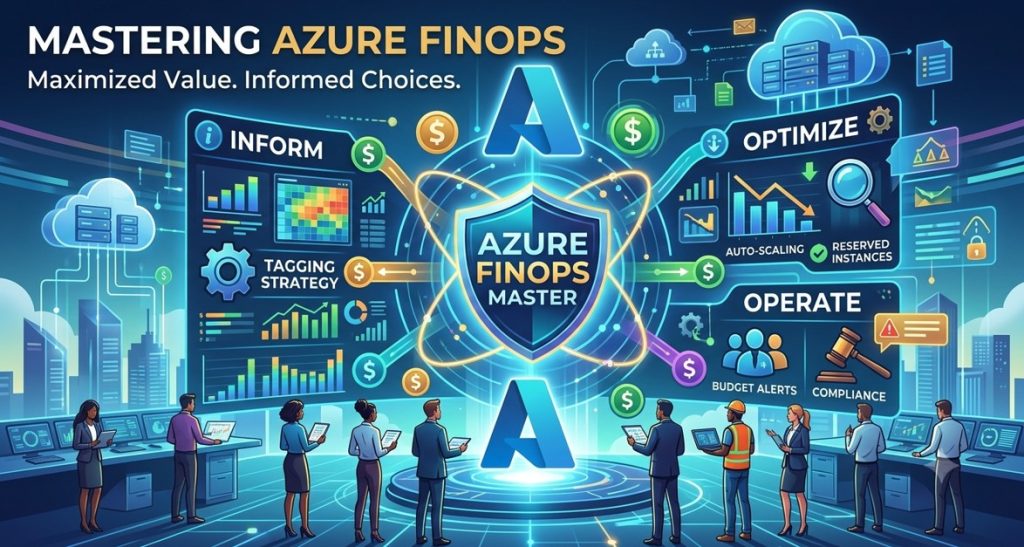
Adopting FinOps in Azure follows the standard lifecycle established by the FinOps Foundation: Inform, Optimize, and Operate.
┌────────────────┐ ┌────────────────┐ ┌────────────────┐
│ 1. INFORM │ ────► │ 2. OPTIMIZE │ ────► │ 3. OPERATE │
│ Visibility & │ │ Waste Reduction│ │ Continuous │
│ Allocation │ │ & Commitment │ │ Governance │
└────────────────┘ └────────────────┘ └────────────────┘
▲ │
└─────────────────────────────────────────────────────┘
Continuous Iteration
1. Inform: Gain Visibility & Ownership
You can’t optimize what you can’t see. The Inform phase focuses on tag compliance, budget transparency, and precise cost attribution.
Subscription & Management Group Architecture: Structure your management groups and subscriptions to mirror your business units, applications, or environments (e.g., Prod, Staging, Dev).
Resource Tagging Policies: Enforce mandatory tagging using Azure Policy. Standard tags should include Owner, Environment, Cost Centre, and Project.
Cost Allocation Rules: Distribute shared enterprise services like Azure ExpressRoute, AKS system pools, or Central Hub VNets back to the teams consuming them.
2. Optimize: Eliminate Waste & Modernize
Once you know who is spending what, it’s time to optimize. Optimization in Azure comes in two main flavors: usage optimization and rate optimization.
Right-Sizing Compute: Identify overprovisioned Virtual Machines (VMs) or App Services and downsize them based on historical CPU/RAM trends.
Clean Up Unattached Resources: Delete orphaned Managed Disks, unassociated Elastic IPs, and stale snapshots.
Leverage Native Discounts:
Azure Savings Plans for Compute: Flexible discounts across VM families, Azure Functions, and App Services.
Azure Reserved Instances (RIs): Deep discounts (up to 72%) when committing to specific VM families or database services for 1 or 3 years.
Azure Hybrid Benefit (AHB): Reuse existing on-premises Windows Server and SQL Server licenses to significantly reduce cloud running costs.
3. Operate: Automate & Cultivate Culture
FinOps is an ongoing practice, not a one-time audit. The Operate phase integrates cost governance into day-to-day operations.
Automated Guardrails: Use auto-shutdown schedules for non-production environments to avoid paying for idle compute over weekends.
KPI Alignment: Measure cloud spends against business outcomes (e.g., Cost per Active User, Compute Cost per Transaction) rather than raw total dollars.
Continuous Feedback Loops: Set up automated anomaly alerts and budget notifications so engineers react before bills spike.
Essential Azure Native FinOps Tools
Microsoft provides a robust suite of native tools to streamline your FinOps journey:
| Tool | Core Capability | FinOps Superpower |
| Microsoft Cost Management | Cost reporting, budgeting, and exportable usage data. | Custom dashboarding, cost breakdown by tag/subscription, and anomaly detection alerts. |
| Azure Advisor | AI-driven optimization recommendations across cost, performance, and security. | Identifies underutilized compute, unattached disks, and potential RI/Savings Plan coverage. |
| Azure Policy | Governance guardrails to enforce organizational rules. | Blocks deployment of non-compliant/expensive VM SKUs and enforces mandatory tags. |
| Copilot for Azure | Generative AI assistant integrated across the Azure Portal. | Answers natural-language questions like “Break down my cost growth for AKS month-over-month”. |
| FinOps Toolkit & FOCUS | Open-source templates and compliance with the FinOps Open Cost and Usage Specification. | Standardizes cost data schema for multi-cloud analysis and advanced PowerBI reporting. |
4 Common Azure FinOps Pitfalls (And How to Avoid Them)
- Treating FinOps as an Engineering Penalty Box
The Problem: If engineers view FinOps solely as a list of demands to shrink resources, they will resist it.
The Fix: Frame FinOps as an enablement tool. Saving money on legacy workloads unlocks budget for new AI, data, and feature development.
- Overcommitting to Savings Plans and Reservations Early
The Problem: Buying 3-year Reserved Instances on day one before understanding actual usage patterns leads to locked-in waste.
The Fix: First clean up idle resources and right-size. Only purchase commitments once baseline usage stabilizes.
- Ignoring Storage Tiering and Networking Costs
The Problem: Teams focus heavily on VM compute costs while quietly accumulating huge fees in Hot Blob storage, cross-region bandwidth, and egress.
The Fix: Implement Azure Lifecycle Management policies to transition cold Blob data to Cool or Archive tiers automatically. Review inter-VNet routing architectures.
- Relying on Manual Weekly Audits
The Problem: Spreadsheets and manual reviews cannot keep pace with dynamic cloud environments.
The Fix: Automate budget alerts, anomaly notifications, and Policy enforcement via Infrastructure as Code (IaC) CI/CD pipelines.
Action Plan: Your First 30 Days of Azure FinOps
Week 1: Establish Baseline Visibility. Turn on Microsoft Cost Management, set up anomaly detection alerts, and audit your management group hierarchy.
Week 2: Enforce Mandatory Tagging. Deploy Azure Policies requiring Environment and Owner tags on all new resource groups.
Week 3: Quick-Win Cleanup. Review Azure Advisor cost recommendations. Delete unattached disks, stop unused dev/test VMs, and apply auto-shutdown schedules.
Week 4: Establish Commitments & Culture. Evaluate your stable compute baselines for Azure Savings Plans. Set up a monthly cross-functional review sync between engineering leads and finance partners.
Sum up
Azure FinOps isn’t about cutting corners it’s about financial engineering. When finance and technical teams collaborate around shared data, cloud spend shifts from an unpredictable operational risk into a measurable, scalable driver of business innovation.

